How to Turn a Website into an AI Knowledge Base with RAG
Most business websites already hold a huge amount of useful information — services, pricing, FAQs, documentation, policies, guides — but almost all of it just sits on pages waiting for someone to search through it. What if that same content could answer questions directly, in a conversation, the moment a visitor or employee asks?
That's what Retrieval-Augmented Generation makes possible. Instead of asking a visitor to browse dozens of pages, an AI assistant can understand a question, find the most relevant passage from a business's own content, and answer conversationally. Combined with workflow automation like n8n, that knowledge base can update itself as the website changes, and plug straight into customer service, sales and internal operations rather than sitting behind a single chat widget.
Your website is already a knowledge base
A typical company website already has more of this than it gets credit for — dozens of service pages, product pages, blog articles, FAQs, documentation, case studies, pricing pages, support articles, policies and industry-specific content. Visitors can technically reach all of it, but accessibility isn't the same as usability. Someone looking for a specific answer has to guess which page holds it, search the site, fall back to Google, or simply leave. An AI knowledge assistant changes that: instead of navigating the site, a visitor can just ask something like "which automation service would suit a company using Salesforce?" and get a direct answer pulled from content that's already there.
What a website AI knowledge base actually is
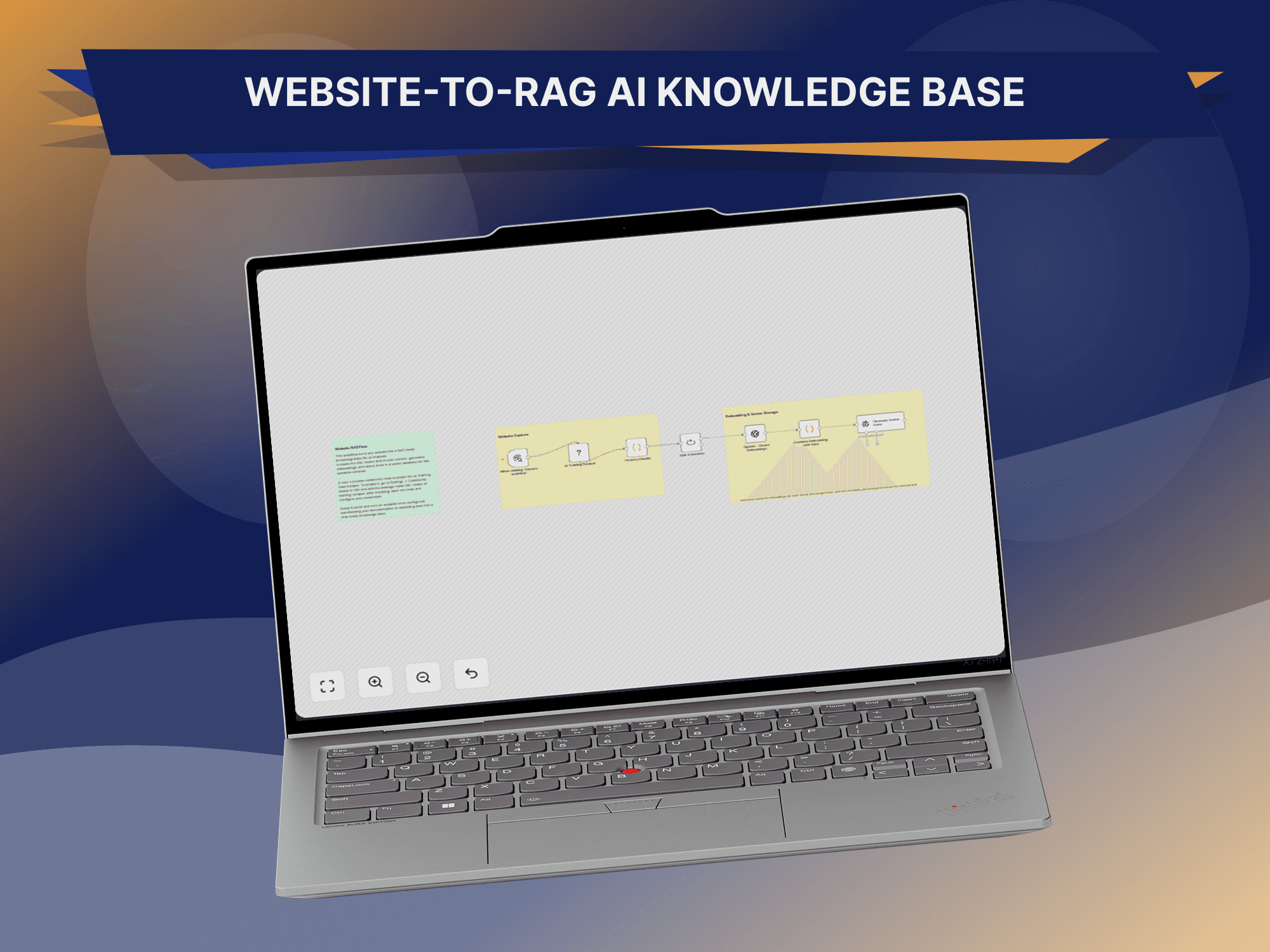
A website AI knowledge base takes approved content, processes it into a searchable form, and makes it available to an AI application at the moment someone asks a question. The pipeline runs from the raw pages through content extraction and cleaning, into chunks small enough to retrieve precisely, converted into embeddings, stored in a vector database, and searched semantically whenever a question comes in — with an AI model turning whatever gets retrieved into a plain-language answer. The model isn't expected to memorize the website; it retrieves what's relevant and reasons over that, which is the difference between a system that's occasionally right and one you can actually trust.
Why RAG beats training a model on your website
A common misconception is that a business needs to "train an AI on its website" — in most cases, it doesn't. RAG takes a different approach: rather than changing the underlying model, it hands the model relevant information at the moment of the request. That has real practical advantages. Updates are easier, since a changed page just means re-indexing that content rather than retraining a model. Source control is tighter, because a business decides exactly which documents the AI can draw from. Information stays fresh as soon as new content is indexed, traceability improves because the system can retain source URLs and metadata alongside every answer, and the architecture stays flexible enough for the same knowledge base to serve more than one AI application down the line.
From web pages to a knowledge base: crawling and cleaning
The first step is identifying the pages worth including — service pages, blog posts, FAQs, case studies — and pulling out the parts that are actually useful as knowledge. A raw web page carries a lot that isn't: navigation, menus, footer links, cookie notices, tracking scripts, repeated boilerplate and design chrome. A cleaning step strips that away and keeps the title, the source URL, the headings and the meaningful paragraphs, turning a messy page into a structured record the rest of the pipeline can actually index.
Chunking, embeddings and the vector database
Large pages get split into smaller, focused sections rather than indexed whole — a 5,000-word service page becomes an overview chunk, an AI-agents chunk, a workflow-automation chunk, a CRM-integration chunk and so on, each one self-contained enough to be useful on its own without dragging in everything else on the page. Every chunk is then converted into an embedding — a numerical representation of what the text means rather than the exact words it uses — which is what lets the system match a question like "can you automate manual tasks for my business?" to a page that talks about "intelligent systems that automate repetitive operational processes" even though the two phrasings share almost no words. Those embeddings are stored in a vector database alongside metadata — product, category, department, language, source, date updated — which becomes essential once the knowledge base grows past a handful of pages, since it's what lets results be filtered as well as ranked.
From a question to an answer
When someone asks "can you build a CRM that integrates WhatsApp?", the system first works out what's actually being asked — topic, specific integration, intent — before converting that into a retrieval request against the vector database. Instead of returning the whole website, the search comes back with the handful of chunks most relevant to the question — CRM development, WhatsApp integration, API integration — ranked by relevance. Those retrieved passages become the context handed to the AI model, which generates an answer grounded in that material rather than in whatever it happens to already know about CRMs in general.
“Letting the assistant cite its own sources — page, section, update date — makes the system both more transparent and easier to maintain.”
Keeping the knowledge base current
A knowledge base that's six months out of date becomes a liability rather than an asset, which is where automation earns its place. A scheduled workflow — running daily or every few hours, depending on how often the site changes — can check pages for changes, extract and clean the updated content, recreate the affected chunks, generate new embeddings, update the vector database and log what changed, all without anyone manually rebuilding the index. n8n is a natural fit for orchestrating that pipeline: a trigger kicks off the crawl, a crawler pulls the pages, a cleaning step and text splitter prepare the content, an embedding model converts it, and the vector database gets updated — all wired together as one workflow rather than a chain of separate scripts. A second, entirely separate workflow then handles the customer-facing side: a question comes in, gets converted into a query embedding, searched against the vector database, and the retrieved content is passed to the AI model to generate the response. Keeping ingestion and question-answering as two independent workflows is what makes the whole system easy to maintain as it grows.
From knowledge base to AI assistant
Once the knowledge layer is in place, it can power a genuinely simple-looking chat interface — "ask GitzTech AI, how can you help my business?" — while a considerably more sophisticated process runs behind it: the visitor's question moves through the chat interface into an AI workflow, gets matched against the knowledge base, reasoned over by the model, checked against business rules, and returned as a response. The real jump happens when that assistant stops being purely a question-answering tool. A visitor who says "I'd like to discuss an AI automation project" can be answered, have their intent identified, be asked qualifying questions, have their contact details captured, get a CRM lead created on their behalf, trigger a notification to the sales team, and be offered a calendar booking — all in the same conversation. At that point the AI assistant isn't just answering questions; it's part of the sales workflow.
One knowledge layer, several applications
The same architecture doesn't have to stop at the public website. Internal teams with hundreds of documents scattered across folders can ask "what's our onboarding process?" or "what do we need before creating a new client account?" and get an answer generated from approved internal documentation instead of searching through shared drives — useful for onboarding, SOPs, sales enablement, technical support and training alike. A salesperson can ask what to recommend to a company that wants to automate WhatsApp support and get a structured recommendation pulled from the same service content, turning the knowledge base into a sales-enablement tool. And after a purchase, a customer asking how to configure a feature can get the relevant documentation and step-by-step guidance directly — with a support ticket created automatically if the knowledge base genuinely doesn't have the answer. One knowledge layer, in other words, can end up supporting a website assistant, a WhatsApp assistant, an internal search tool and a sales or support workflow at the same time.
Access control matters as much as retrieval
Not every piece of information should be available to every user. A public website assistant should only ever draw on public information; an internal employee assistant may reasonably have access to internal documentation; a support agent handling a specific ticket may need access to that customer's records as well. Designing separate knowledge tiers — public, internal, customer-specific — with access controls attached to each one matters from the very first version of the system, particularly for any business handling confidential information, rather than being something to retrofit later.
Mistakes worth avoiding
The common failure modes are consistent across most website RAG projects: indexing everything instead of curating what's actually useful, since more content doesn't automatically mean better answers and irrelevant pages can drag retrieval quality down; chunking pages too large or too small, which makes retrieval less precise either way; skipping metadata, which makes a knowledge base painful to maintain and filter once it grows; shipping with no update workflow, so the index quietly goes stale; giving the assistant no fallback response for questions it genuinely can't answer, and no path to hand a question to a person when it should; and treating the AI model itself as the source of truth rather than the retrieval layer feeding it, when the model should only ever be reasoning over information the business has actually approved.
What to measure once it's live
Once deployed, the system is worth watching on more than just usage. Answer accuracy against the source material, retrieval quality — is the right document actually being surfaced — resolution rate, escalation rate, conversion rate on qualified leads, and genuine user engagement all say more about whether the assistant is working than raw message volume does. The gaps are just as useful as the wins: questions the assistant repeatedly can't answer point directly at new FAQ or content opportunities the website itself is missing.
None of this has to stay limited to the website it started on. Once the content is structured into a proper knowledge layer, the same retrieval system can go on to power customer support, a sales assistant, internal search and a WhatsApp agent from one shared foundation — a genuinely scalable architecture rather than a chatbot bolted onto a single page. That's the kind of system GitzTech builds: website content ingestion, automated crawling, cleaning and chunking, embeddings, vector databases, full RAG pipelines, AI agents, n8n workflow automation, website and WhatsApp assistants, CRM integration, human escalation and the analytics to keep proving it's working. The goal was never to put a chatbot on a website — it's to turn the knowledge a business already has into something it can actually use.
A website already contains the information customers and employees need. RAG is what turns that into something searchable; n8n is what keeps it current; and the right integrations are what let it move past answering questions into actually doing something useful — capturing leads, resolving support tickets, and helping a team find what it needs. Website, knowledge, retrieval, AI, business action: the architecture is simple to describe, and the result is a faster, more capable version of a site a business already has.
Common questions
What is a website AI knowledge base?
It's a structured collection of website information that an AI application can search and use to answer questions, rather than the raw pages themselves.
Is RAG the same as AI model training?
No. RAG retrieves information at query time, while traditional model training changes the model's parameters. For business information that changes often, RAG is usually the more practical approach.
Can a website AI assistant update automatically?
Yes — an automated ingestion workflow can periodically detect website changes and update the knowledge base without anyone manually rebuilding it.
Can the AI use multiple websites or documentation sources?
Yes, provided the content is approved for use and the system is designed with appropriate source and access controls.
Can the AI create leads?
Yes. The assistant can be connected to forms, CRM systems and other business workflows to capture and qualify inquiries as they happen.
Can the same knowledge base power WhatsApp?
Yes. A shared RAG layer can serve website chat, WhatsApp, internal assistants and other applications from one underlying knowledge base.
Can RAG work with PDFs?
Yes. Approved PDF documents can be extracted, chunked, embedded and added to the knowledge base alongside website content.